# Register on Mobile
{% tabs %}
{% tab title="Email" %}
## **HOW TO REGISTER WITH EMAIL**
*A video tutorial will be available soon.*
## **STEP-BY-STEP TUTORIAL**
...
{% endtab %}
{% tab title="Wallet MetaMask" %}
## **HOW TO REGISTER WITH METAMASK**
{% embed url="" fullWidth="false" %}
In this video, discover how to register with **Metamask**
{% endembed %}
## **WHAT IS THE PURPOSE OF A WALLET?**
A wallet allows users to store, manage, and protect their cards.
It consists of a public key for receiving assets and a private key for signing transactions and accessing assets.
With a wallet, users can securely store their cards, conduct transactions, and maintain full control over their cards.
## **HOW TO CREATE A METAMASK WALLET**
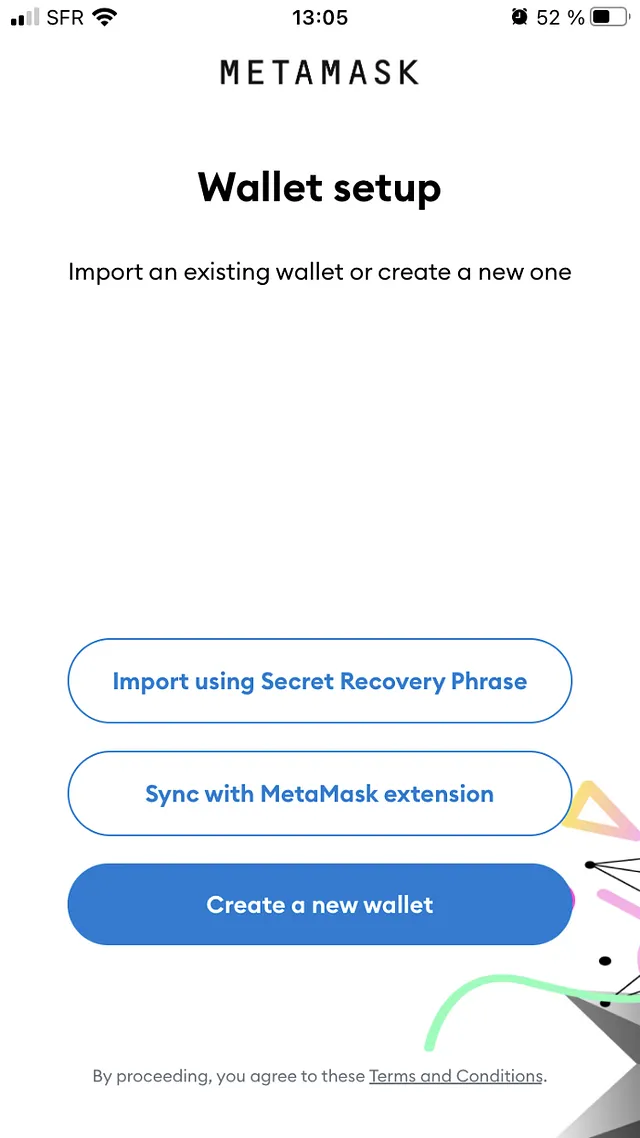
1. The creation of a Metamask wallet starts with the installation of the application on mobile stores or as an extension of browsers: [MetaMask](https://metamask.io/) | [AppStore](https://apps.apple.com/us/app/metamask/id1438144202?_branch_match_id=935124311537956984&_branch_referrer=H4sIAAAAAAAAA8soKSkottLXz00tScxNLM7WSywo0MvJzMvWL8529DB2SnSztAQA5G46IyQAAAA%3D) | [PlayStore](https://play.google.com/store/apps/details?id=io.metamask\&hl=en_US\&ref=producthunt&_branch_match_id=935124311537956984&_branch_referrer=H4sIAAAAAAAAA8soKSkottLXz00tScxNLM7WSywo0MvJzMvWT6ooz3a1yHeztAQA%2FOIqTSQAAAA%3D)
2. Once the application is installed the creation of the wallet can start.\
\
Here we will be on mobile but the process is the same on browser.\
\
Start by clicking “Create a Wallet” if you don’t already have one.
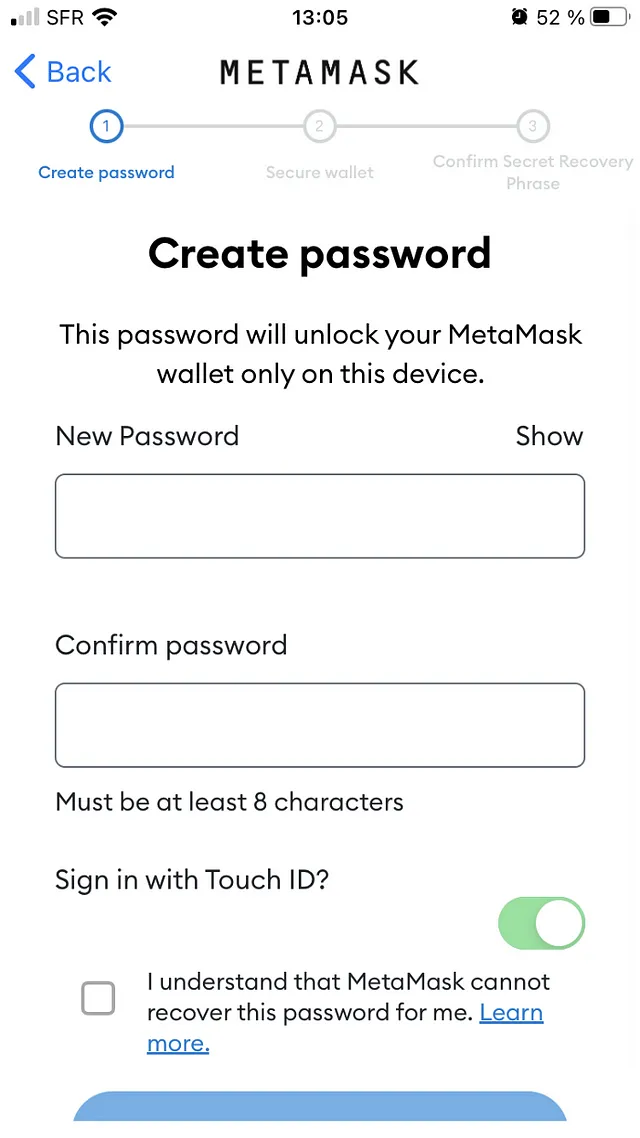
3. Start by choosing a password.\
\
Be sure to write it down! If you lose it, there is a way to recover it with the “seed phrase” or mnemonic, but the easiest way is to not lose it.
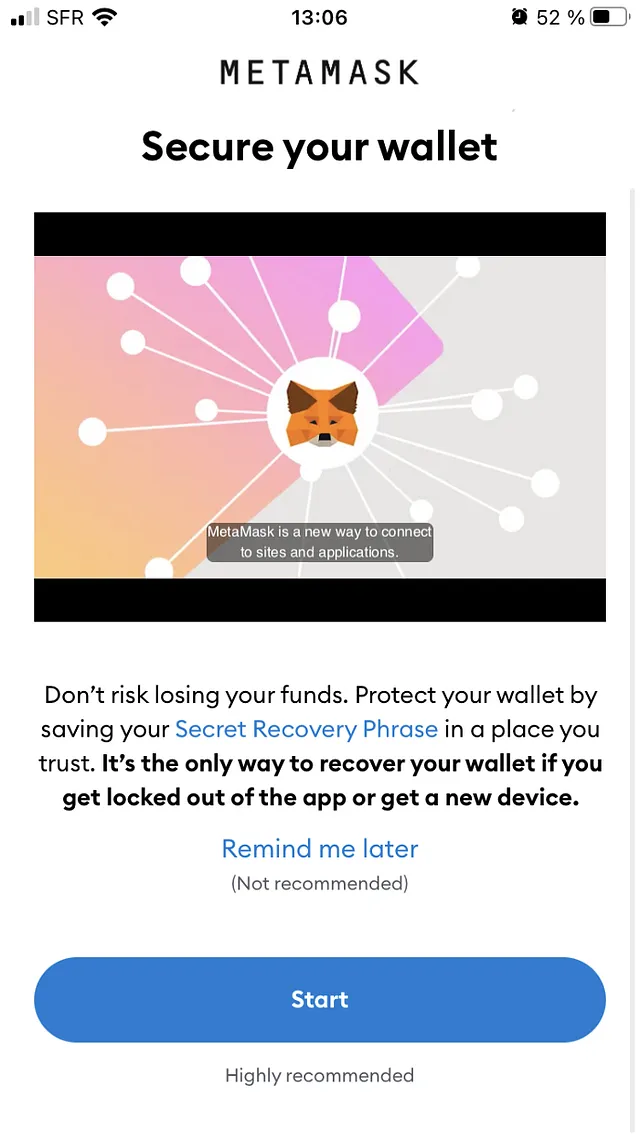
4. Make sure to check out the video, it offers good tips for cryptocurrency beginners. \
\
Click on “Start” to secure your wallet from the start.
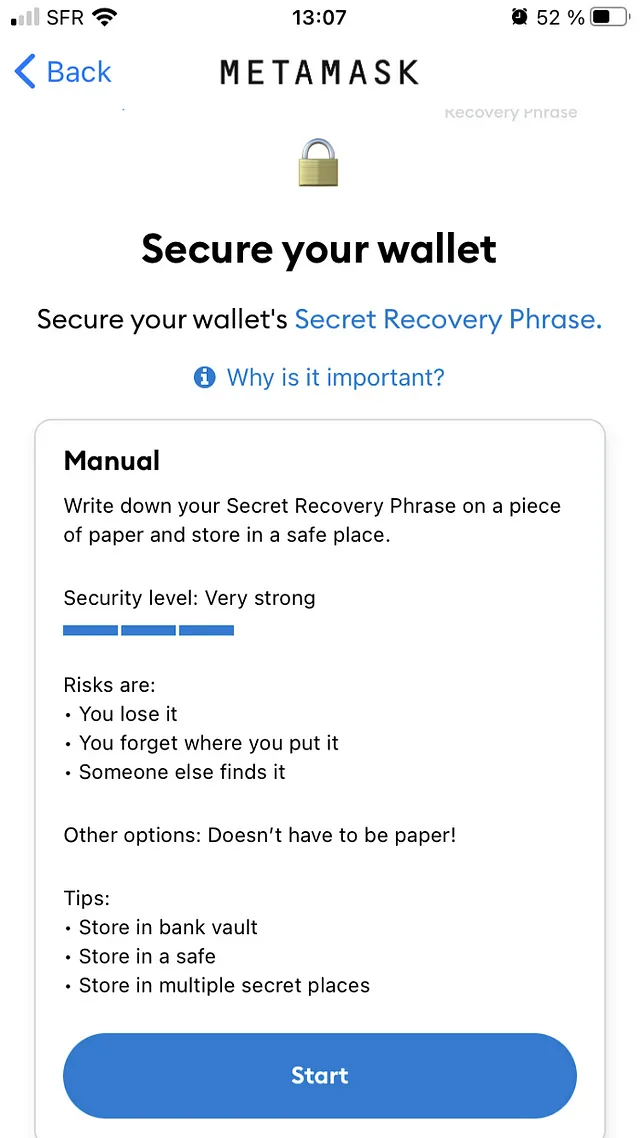
5. Read the advice carefully, it is useful, before continuing.
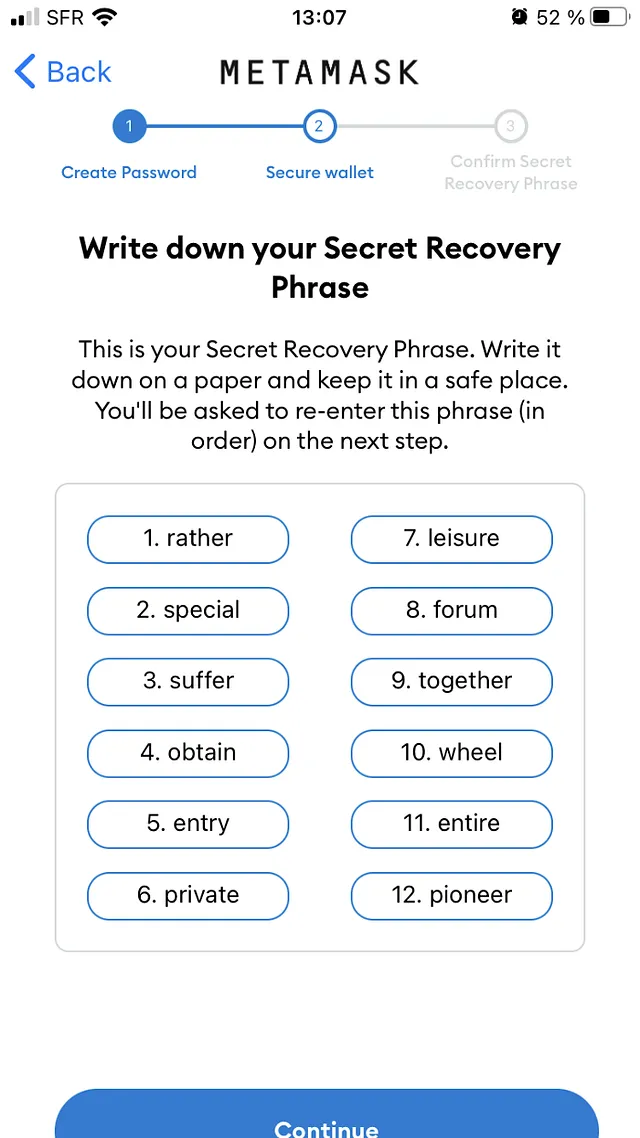
6. Be sure to write your secret phrase on a piece of paper!\
\
Your “Secret Recovery Phrase” is your only means of accessing this wallet and cannot be recovered in any way. If possible, avoid recording it in digital format to avoid hacking. \
\
We advise you to write it down in 3 copies in 3 different places and not to take any screenshots!
7. You are now on the MetaMask homepage.\
\
To retrieve your wallet address, just click on the preview “0x3e63…bB59” in this case, your address will be saved in the clipboard and can be pasted anywhere.\
\
This address is public and is the one to give for transactions.
{% endtab %}
{% tab title="Google" %}
## **HOW TO REGISTER WITH GOOGLE ACCOUNT**
*A video tutorial will be available soon.*
## **STEP-BY-STEP TUTORIAL**
...
{% endtab %}
{% tab title="Discord" %}
## **HOW TO REGISTER WITH DISCORD ACCOUNT**
*A video tutorial will be available soon.*
## **STEP-BY-STEP TUTORIAL**
...
{% endtab %}
{% endtabs %}